





What are the tags displayed on the tag search screen?
You can search for a tag on the tag search screen to display a list of materials that have this tag.
Suppose you add a tag such as the following: "_____ seminar reference book" or "A must read for _____ class." Then, after a tag search, anyone can bring up the same list of materials.
For example, try clicking a tag in "New tags," "Recent tags," or "Popular tags." Then, materials that have these tags are displayed.
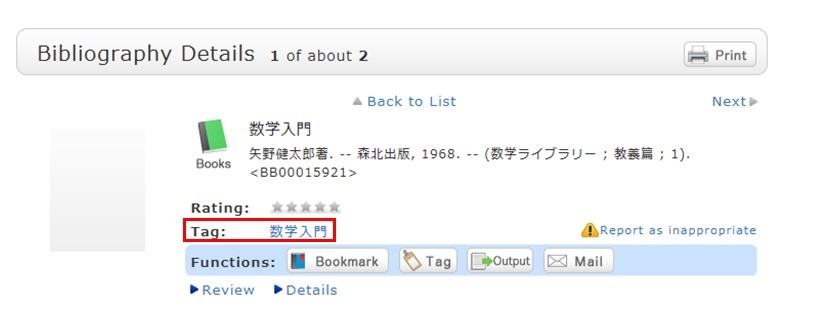
You can register tags on the search result list screen and the bibliography details screen.
カレンダー
電子ブック
お役立ちリンク

連絡先
中部大学附属三浦記念図書館
〒487-8501
愛知県春日井市松本町1200
tel:0568-51-4437(直通)
fax:0568-52-1510
mail:chubu-library[at]fsc.chubu.ac.jp
※[at]を@に変更してください。
| 電話受付:平日9:00~17:00 時間外はお問い合わせフォームをご利用ください。※返信にお時間をいただく場合があります。 |